Posted From My Phone

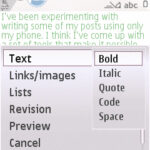
I’ve been experimenting with writing some of my posts using only my phone. I think I’ve come up with a set of tools that make it possible for me to create well formatted blog posts using either my BlackBerry 7100i or Nokia N95. Wap Review is a WordPress blog and up through WP 2.5 I was actually able write posts and moderate comments with Opera Mini using just the standard WordPress administrative screens. For version 2.7, WordPress completely redesigned the … Continue reading


Samsung Instinct – Opera Mini Canada Workarounds

Last year I blogged about the Samsung Instinct, a CDMA touch screen feature phone that superficially resembles the iPhone, and the problems that users where having running Opera Mini and other third party Java applications on it. The issue was that the JVM on the Instinct was missing the Java ME LCDUI package which is the way that Java applications create user interface components like textboxes. This meant that was no way to enter text into any text fields in … Continue reading

Found on the Mobile Web #58

Found on the Mobile Web is an weekly WAP Review feature listing newly added and updated sites on the YesWAP.com mobile portal and WapReview mobile site directory. With these latest additions the directory and portal now list 1578 mobile sites. Entertainment/Games Xbox Mobile xbox.mobi Microsoft’s official Xbox site lets you view your own and friend’s Xbox Live Gamers Cards, download free mobile phone wallpapers, ringtones and videos, find the nearest Xbox dealer and read excerpted news of new game title … Continue reading

SpellBoy – Online Mobile Spell Checker

SpellBoy (m.spellboy.com)  is a mobile web based spell checker. Unlike the other online spell checkers I’ve seen this one doesn’t require JavaScript so it will work almost any browser. To use SpellBoy you enter or paste the text you want to spellcheck into the single text field on the SpellBoy front page and press the “Check Spelling” submit button. SpellBoy displays your test with misspelled words replaced with drop-downs containing suggested spellings for each word. You correct the mistakes by … Continue reading

SmartyPig – Mobile Social Savings Program

SmartyPig is a service that combines online banking, money management and social networking. If that sounds like a weird combination read on. The basic concept of SmartyPig is to help people save for a specific goal, a vacation, new gadget or even a child’s college education. You link SmartyPig with a bank account and set up specific goals each with a name, goal amount and the date you want to achieve your goal. SmartyPig determines how much you will need … Continue reading

Instant Mobilizer Taking Off

Ronan Cremin at dotMobi sent over an image containing sheetshots of some of the thousands of sites that have been created with Instant Mobilizer since its launch at MWC two months ago.  I’ve reproduced a small part of it above.  The whole image is 2714 x 3473  px so what you are looking at is only about 1/60 of it.  If you want to see it all,  click here.  Be warned that the jpeg is a little over 3 MB … Continue reading

Mobypicture – Post Mobile Photos to All Your Networks

Mobypicture (i.mobypicture.com) is a new service that lets you upload pictures from your phone to multiple social networks and blogging platforms including Twitter, Jaiku, WordPress, Blogger, Tumblr, Livejournal, Brightkite, Facebook, Hyves or Vimeo. Uploading is by MMS, email or a “browse for file” web form on the Mobypicture mobile site. When you upload a picture it’s automatically posted to your accounts on all the networks and services you’ve configured in Mobypicture. Mobypicture  works well and seems popular, I’m seeing a … Continue reading

PicoNote – Google Notebook Reborn?

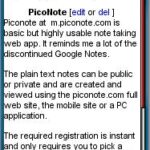
PicoNote at m.piconote.com is basic but highly usable note taking mobile web app. It looks like a good replacement for the discontinued Google Notebook. The plain text notes can be public or private and are created and viewed using the piconote.com full web site, the mobile site or a Windows only PC application. The desktop version stores notes locally for offline access and synchronizes your notes with the PicoNote cloud for anywhere access and backup. There’s also Twitter integration, you can … Continue reading